
We are thrilled to announce the release of Admin Optimizer v2.2.0! This major update is packed with new powerful modules, highly requested features, and performance improvements designed to make managing your WordPress site smoother than ever.
Custom Code Module
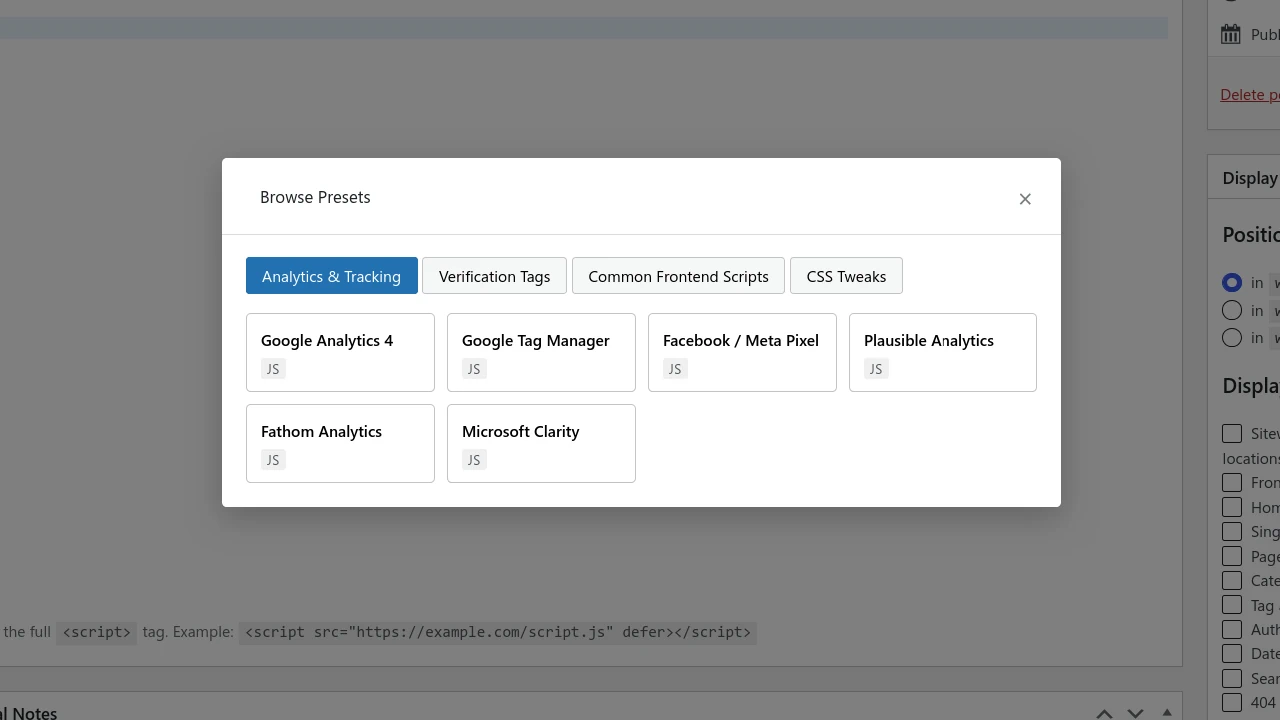
Ever wanted to add tracking scripts (like Google Analytics or Facebook Pixel) without messily editing your functions.php file? Or maybe you need to inject custom CSS into a single page for a specific element?
The new Custom Code module has you covered. You can easily add JavaScript, HTML, or CSS, and control exactly where it triggers:
- Global or Targeted: Deploy code site-wide, or restrict it to headers, footers, single posts/pages.
The Pro options allow you to display custom code on specific posts/pages, custom post types, and conditional display (show to Everyone, Logged-in users, or logged-out users).
Redirect Manager
Changing a post or page permalink shouldn’t mean losing traffic or dealing with broken links. Our new Redirect Manager makes handling URL changes effortless.
Simply activate the module, enter the old slug (no need for the full URL), put in the destination URL, choose your Redirect Type (defaults to 301 Permanent), and click “Add Redirect“. You can even track its performance with live status updates and hit counters.
Pro options add a 404 Monitor, and automated auto-redirects when a published post permalink changes.
One-click Preset for robots.txt
We all know a robots.txt is crucial for SEO, but figuring out what to put in it can feel like reading an encyclopedia. We’ve simplified the process with Preset Options. With a single click, you can generate:
- The default WordPress setup.
- An SEO-optimized configuration.
- The “Block AI Crawler” preset: Instantly stop AI bots from scraping your site and training models on your data.
Custom Fields Builder (CFB) Columns
With our Custom Fields Builder module, you now have the option to display each field as a column in the admin Post table. You can get a quick, high-level overview of your custom data at a glance – no clicking into individual posts required.
Compatibility & Core Updates
To ensure Admin Optimizer runs on the modern web, we have updated our version support:
- Tested up to WordPress 7.0 (fully compatible with the latest major release!).
- Minimum WordPress version is now bumped from v5.5 to v5.9.
Note: If your server is still running PHP 7.4, don’t worry—the plugin will continue to function perfectly.
Other Improvements
- Form Builder: Added a seamless Import/Export option for easy migrations.
- UI Cleanup: Reorganized several modules into more intuitive, user-friendly sections.
You can get Admin Optimizer 2.2.0 for free, or get the Pro version for more powerful features.
