
Hot on the heels of our 2.2.0 release—which introduced powerful tools like Custom Code and the Redirect Manager—we are thrilled to keep the momentum going with Admin Optimizer 2.3.0.
This major update introduces our brand-new SEO Manager and AI Connectors modules, alongside significant under-the-hood performance upgrades.
Updated Minimum PHP version Support (PHP 8.1+)
First thing first, we have bumped up the minimum PHP requirement for Admin Optimizer to v8.1.0 (up from v7.4.0).
PHP 7.4.0 reached its official End-of-Life (EOL) back in 2022. With the industry moving toward PHP 8.5, sticking to outdated versions add unnecessary security risk to your site, and prevent it from taking advantage of newer technology. By shifting our baseline to PHP 8.1.0, we can leverage modern coding standards to deliver:
- Faster & More Stable Performance: A noticeably snappier experience for your dashboard.
- Enhanced Security: Cleaner, safer code that minimizes vulnerabilities.
- Fewer Compatibility Issues: Reduced reliance on legacy workarounds, allowing us to ship new features faster and more effectively.
AI Connectors
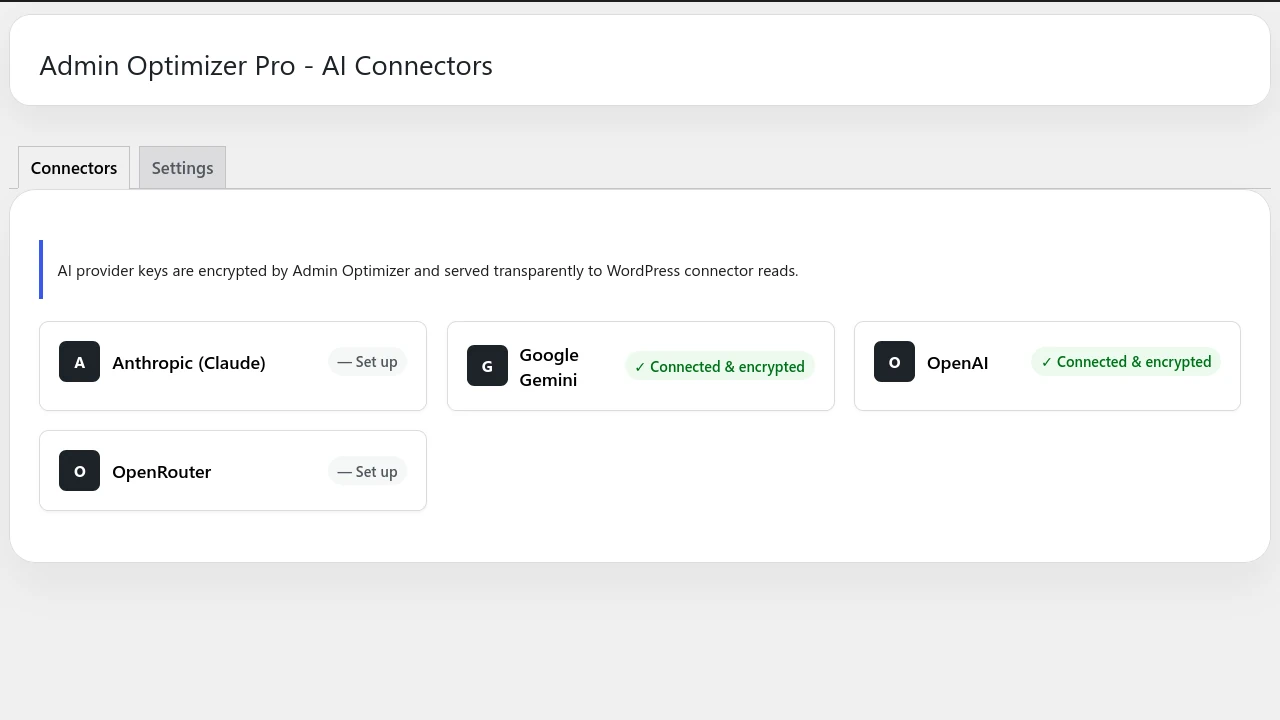
While WordPress 7.0 introduces a native AI connectors feature, the implementation is quite rudimentary. It doesn’t work by default, and requires you to install separate, dedicated plugins for every single AI provider you want to use. If you want to utilize the three different providers, you have to install three extra plugins to your site.
The main aim of Admin Optimizer is to eliminate plugin bloat. That’s why we built our own AI connectors module. Our AI Connectors module comes with providers support for Anthropic, Google Gemini and Open AI, so you can activate and use it straight away. No more installing of additional plugins.
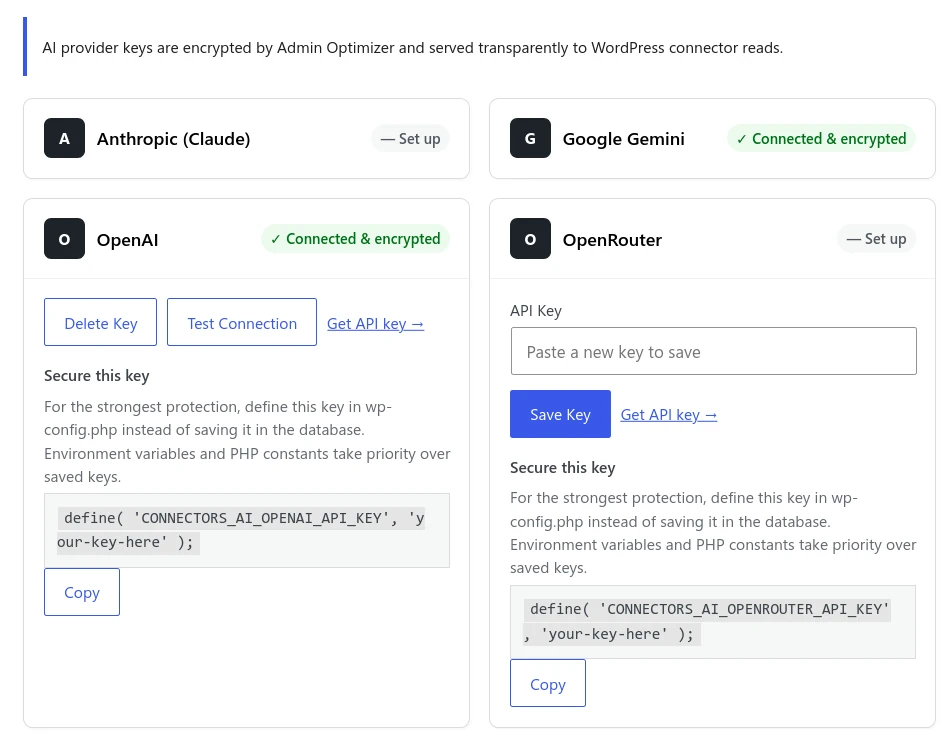
What makes our AI Connectors module better?
- All-in-One Integration: Built-in support for Anthropic, Google Gemini, and OpenAI. Just activate the module, paste your keys, and go. No extra plugins required.
- OpenRouter Support: Connect to OpenRouter with a single API key to unlock access to hundreds of niche and open-source AI models.
- Enterprise-Grade Security: By default, WordPress stores API keys unencrypted in the database. Admin Optimizer encrypts your API keys, keeping your accounts safe even if your database is ever compromised.
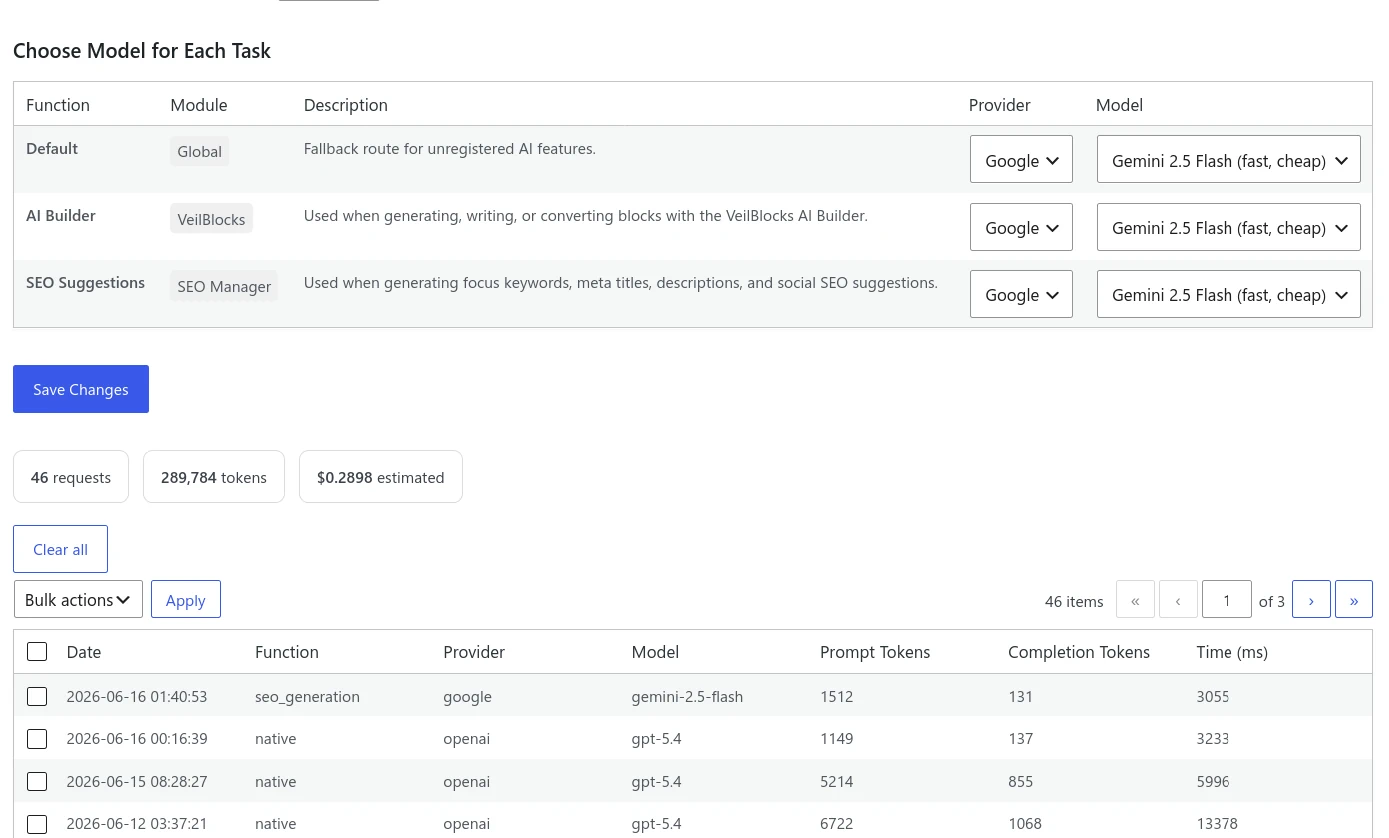
- Granular Control & Cost Tracking: Choose exactly which AI model handles which task, keep a comprehensive usage log, and view estimated costs.
- Backward Compatibility: We have backported this entire module to support WordPress 6.9 and below. You don’t need to be on WP 7.0 to start using AI today.
SEO Manager
With so many SEO plugins on the market, why are we building another one? The answer is simple: most existing SEO plugins are overly complicated, packed with features you’ll never use, and come with bloats that cause your site to slow down.
Our SEO Manager takes a lightweight, performance-first approach. It skips the fluff and focuses strictly on the essential, day-to-day SEO features you actually need:
- Meta titles & descriptions
- Canonical URLs & noindex controls
- Social sharing images (Open Graph)
- Focus keywords & auto Schema generation
- SEO health checks
The Unified SEO Advantage
Instead of juggling separate plugins for SEO, sitemaps, redirects, robots.txt editing, and schema, everything now works under a single, predictable UI. SEO Manager sits perfectly alongside our broader Content & SEO section (including XML Sitemaps, Redirect Manager, Robots.txt Manager, Content Refresh and other SEO-related features).
One of the biggest advantages of SEO Manager is simplicity. Users can configure site-wide title formats, meta description templates, social sharing defaults, schema settings, noindex rules, and supported post types from one location.
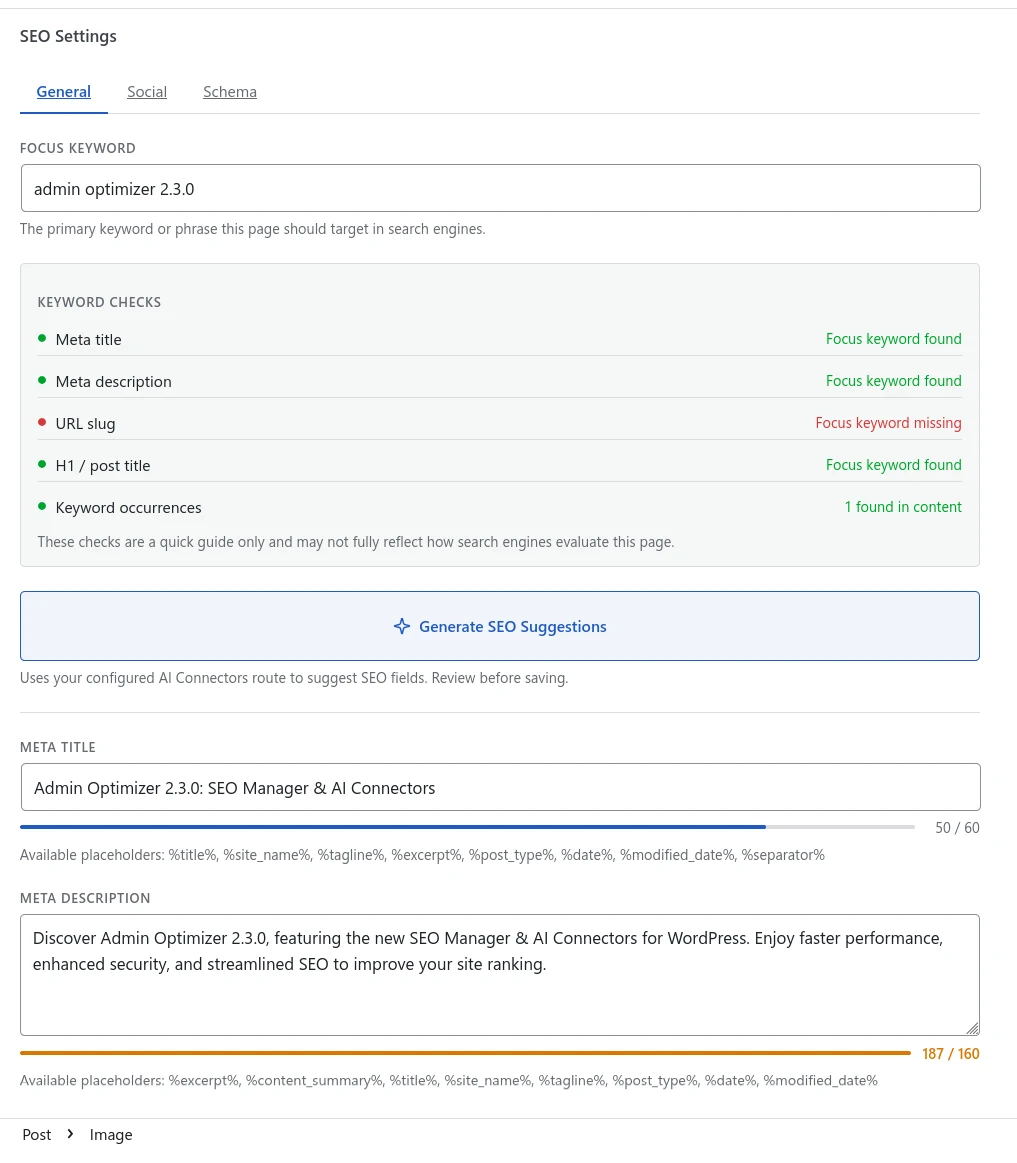
AI-Powered SEO: Thanks to our AI Connectors module, you can generate optimized SEO titles and descriptions directly from your post content. Best of all, you aren’t locked into a single AI provider—you choose the model that fits your quality and budget needs.
Enhancements to Existing Modules
In addition to the new modules, we’ve also been busy upgrading the tools you already use:
Shortcode snippets for Custom Code
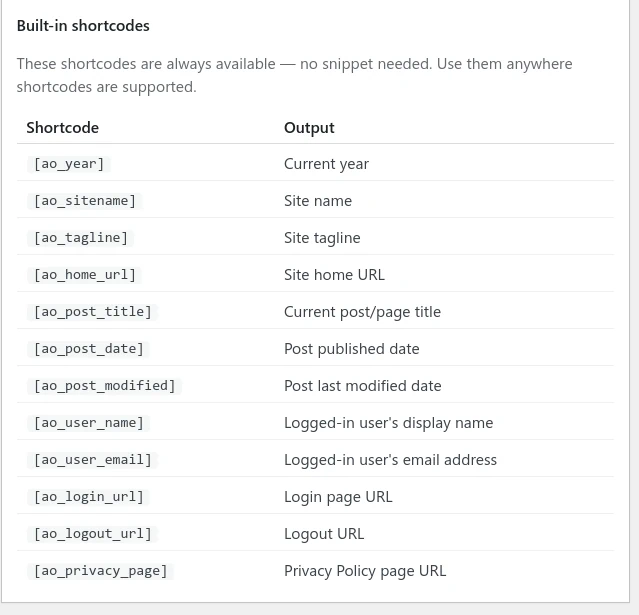
The first version of Custom Code only comes with support for HTML, JS and CSS. In this release, we have added support for custom shortcode. Now you can create custom shortcode that return HTML values directly (note: complex PHP logic is not supported yet).
We’ve also included a library of ready-to-use utility shortcodes.
Form Builder Presets
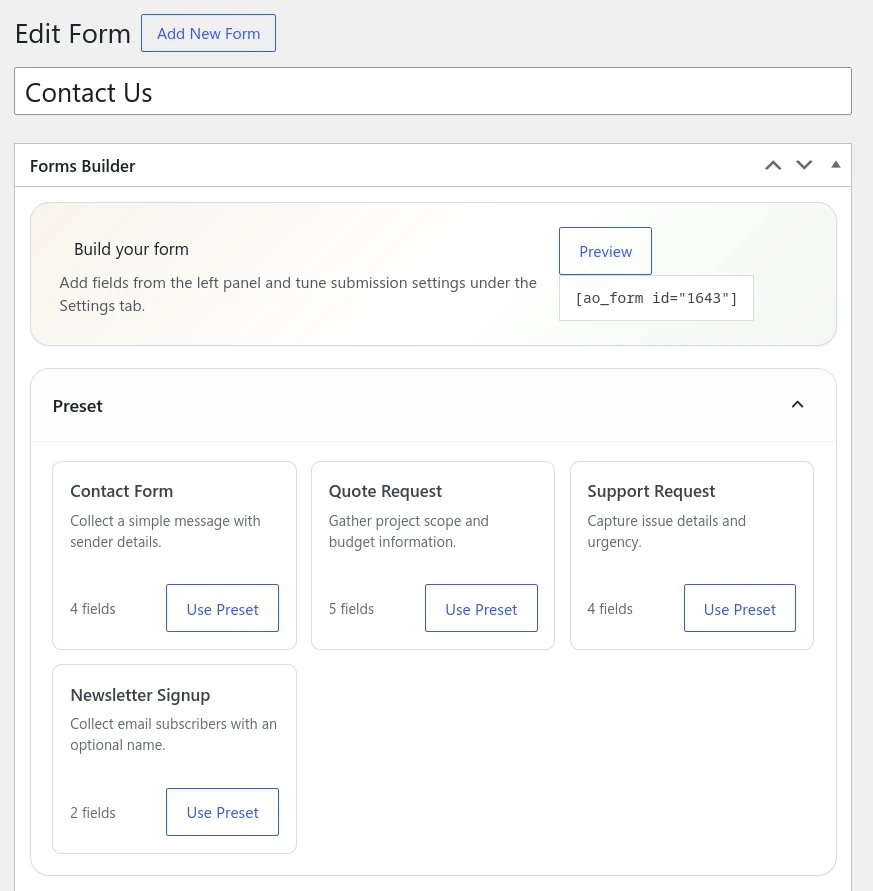
Setting up a new site? Stop building your contact forms from scratch. With our new Presets, you can generate a fully functional contact form—or choose from several other common form layouts—with a single click.
Bug Fixes
Modified Date Module: Fixed an issue where the modified date field is displayed on non-public post types.
You can get Admin Optimizer 2.3.0 for free, or get the Pro version for more powerful features.
