
Admin Optimizer 2.3.1 is officially live! This update brings a massive bundle of new features, workflow optimizations, and key bug fixes designed to make managing your WordPress site even smoother. Let’s dive into what’s new.
Ready-to-use Presets in Custom Fields Builder
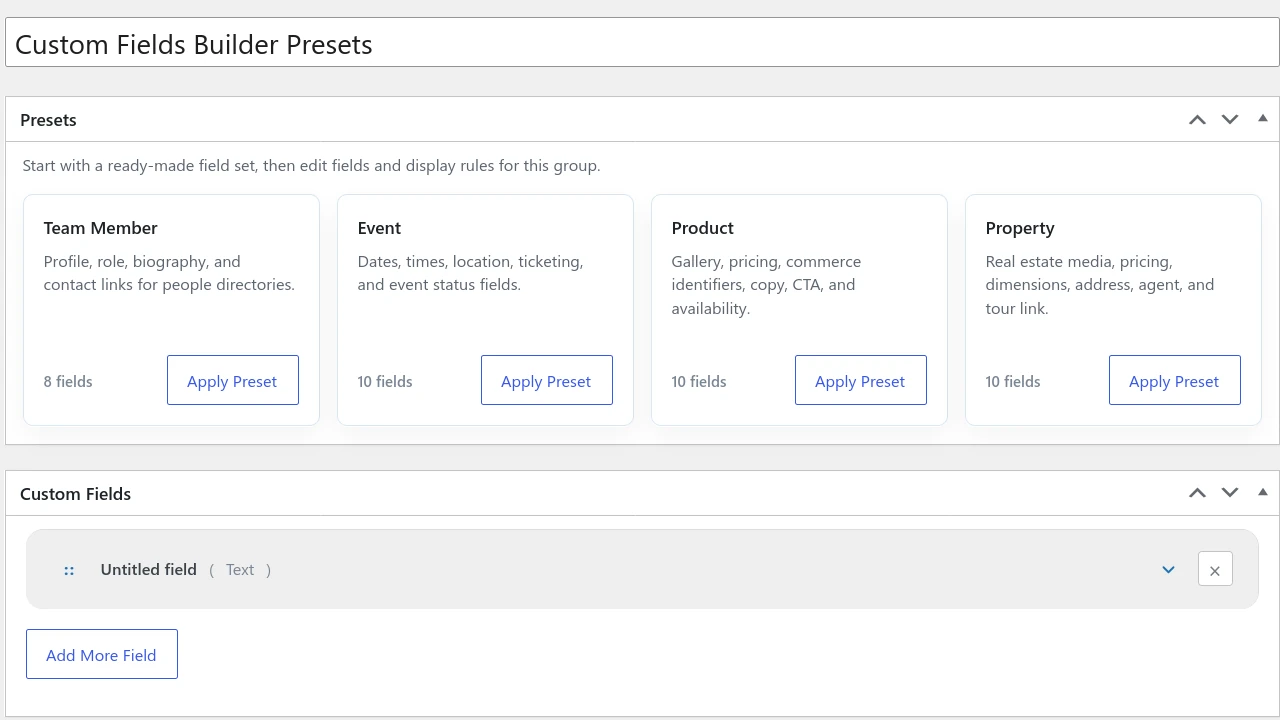
The Custom Fields Builder module is an incredibly powerful tool, but staring at a blank canvas can sometimes be overwhelming.
We have added Presets to help you jumpstart your workflow. Simply click on a preset to instantly populate your canvas with all the necessary fields.
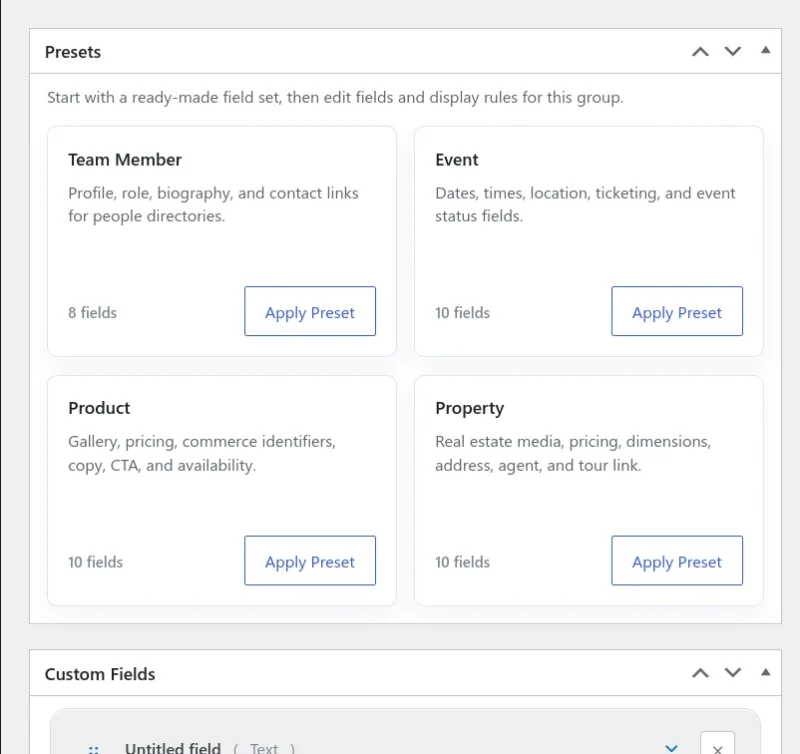
Currently, there are 4 Presets:
- Team Member: perfect for creating people directories (includes profile, role, and biography fields).
- Event: ideal for event management (includes dates, times, location and ticketing info).
- Product: tailored for e-commerce (includes galleries, pricing, commerce identifiers, CTA, and availability).
- Property: built for real estate (includes pricing, dimensions, address fields).
Multi-SMTP Profiles and a New Email Sender Tool
Email delivery has been a notorious pain point for WordPress for years. While our SMTP module already solves this, version 2.3.1 takes it a step further with SMTP Profiles.
You can now configure multiple SMTP connections and route your emails dynamically. For example, you can route your WooCommerce transactional emails through Brevo, while keeping your default system emails on Mailgun. This can be easily configured under the new SMTP Profiles and Email Routing tabs.
Note: SMTP Profiles and Email Routing are pro-only features.
In addition, we’ve added an Email Sender tool. This allows you to compose and send transactional emails directly from WordPress. You can use it to quickly update a customer about an order, or reply to a submission from the Contact Us form (built with the Form Builder module).
Per-Provider Encryption for AI Connectors
Security is our top priority when we released the AI Connectors module. Unlike WordPress that save your API key in plain text, we ensured your API keys were encrypted before hitting the database. However, the global encryption settings were tucked away in a secondary tab that is easily missed.
In this update, we’ve streamlined the security workflow. Encryption is now a per-provider configuration.
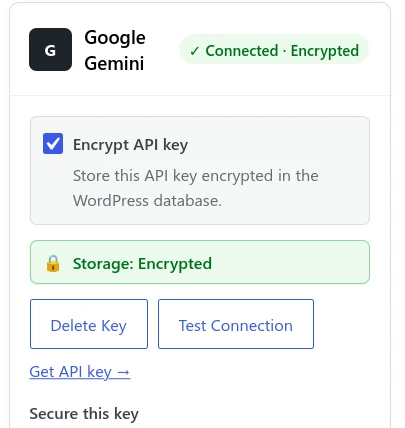
When adding a Provider API key, simply check the Encryption box to secure that specific key instantly.
Quick SEO Settings in the Sidebar Panel
The SEO manager‘s fields are in the Meta Boxes section, which are hidden by default since WordPress 6.9. To make it easier to edit and view your SEO data, we have integrated a new SEO manager section in the post editor’s sidebar panel.
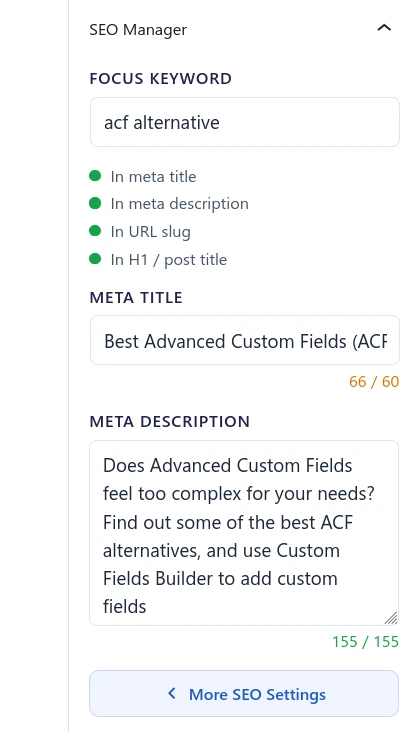
You can now view, add, or edit your SEO titles and meta descriptions instantly without leaving the sidebar. If you require advanced settings, click the More Settings button to open the meta Boxes section and generate AI SEO suggestions.
User Role Exclusions for Custom Code
Our Custom Code module gets a new powerful Pro feature: the ability to exclude code snippets based on logged-in user roles.
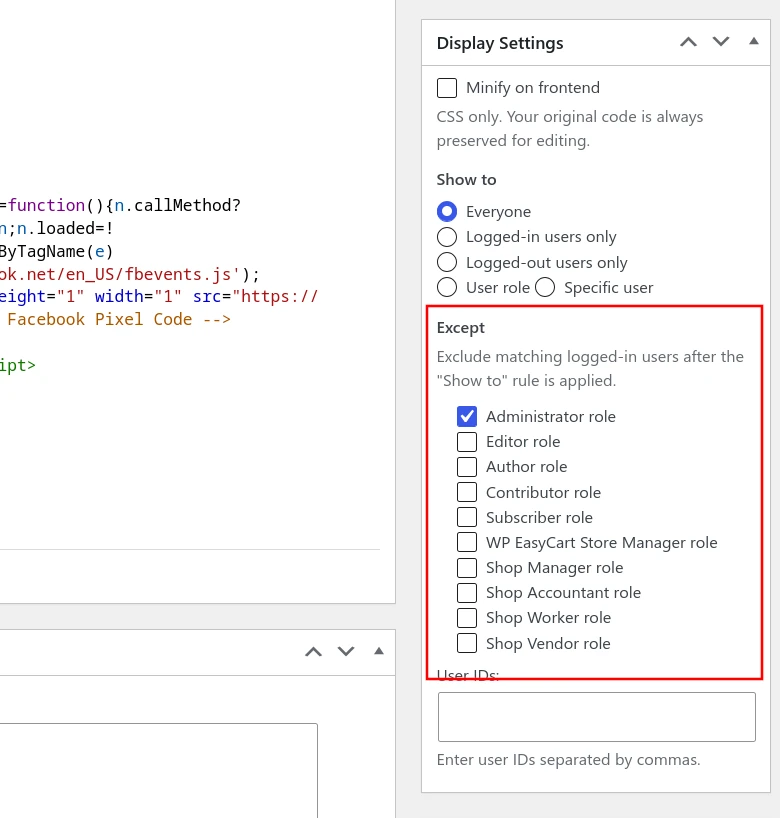
For example, if you have added Google Analytics snippet, and you want to prevent it from logging your presence, simply exclude your user role (e.g. Administrator) in the Display Settings and the tracking snippet won’t load when you are browsing your own site.
Bug Fixes
We’ve also cleaned up under the hood to ensure a more stable experience:
- SEO Manager: removed the strict 160-character hard limit on the meta description field.
- SEO Manager: fixed an issue to ensure canonical URL changes are now reliably detected.
- Custom Fields Builder: fixed a rendering bug for the TinyMCE editor within the Post meta context.
- Redirect Manager: added clearer helper text explaining trailing slash and case-sensitivity behavior.
- Custom Post Status: standardized saving behavior to ensure consistency across the board.
- Custom Login URL: fixed a bug where users were redirected to a no longer redirects to a 404 page after a password reset.
You can get Admin Optimizer 2.3.1 for free, or get the Pro version for more powerful features.
