
Part of WordPress’s appeal is its flexibility, but that’s also a curse. The flexibility mainly comes from all the various themes and plugins to help customize the site to your needs. The minimal built-in feature set helps you get started, but you find yourself installing more and more plugins just to accomplish simple tasks. If your site is feeling sluggish, just know that you can speed up WordPress without plugins, especially by reducing existing plugins.
Why Plugins Slow Down WordPress?
Every plugin you install load various scripts, perform database queries, and more every time a page loads on your site. A few plugins, this isn’t an issue. Multiply this by dozens of plugins and your site becomes a nightmare for users. The ironic part is many plugins users install focus on WordPress performance optimization. Too many optimizations just slow things way down.
Yes, you do need some WordPress plugins. You just don’t need every single plugin.
Take Advantage of Your Host
Before you start installing more plugins, take a quick look at some of the features your web host offers. A more optimized hosting environment often replaces some plugins.
Ideally, skip cheap, shared hosting. It’s usually not designed to properly handle your WordPress site. You get outdated PHP versions, inefficient caching layers, and horrendous database handling. While adding more plugins fixes these issues, they also add extra bloat to your site, slowing it down.
Reduce plugins by looking for a web host that offers features like:
- Object caching
- Server-level caching
- Latest PHP versions
- CDN integration
Your web host is your site’s foundation. If it’s more optimized, you rely less on plugins to optimize WordPress performance.
Start With the Right Theme
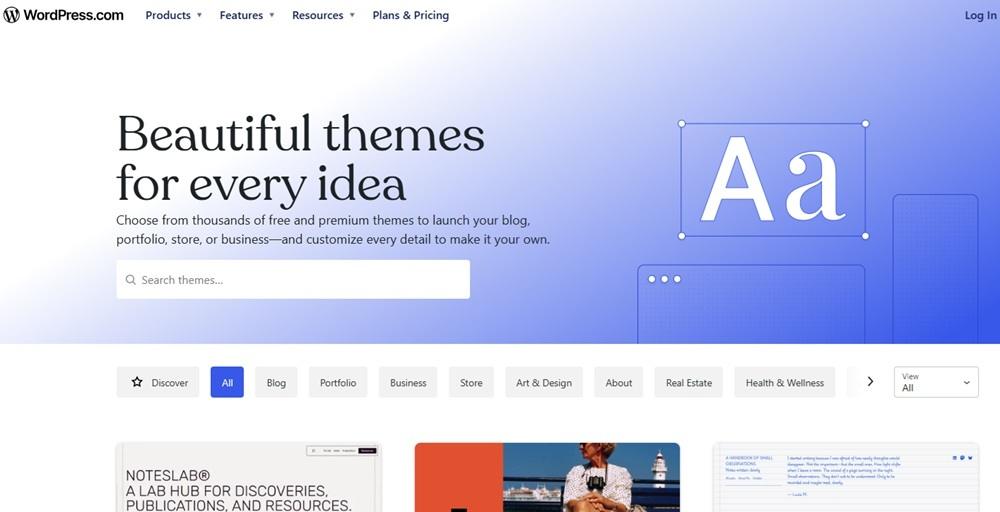
That feature packed theme you picked out might seem like a dream come true, but take a look at the features. Do you really need them all? Custom builders, icon packs, numerous layout options, animations, and all the other extras add code to your site even if you’re not actively using the features.
Think of it as carrying a backpack. Would you rather carry around a backpack with 10 pounds of what you actually need or 100 pounds of stuff that you’ll never use?
A few things to consider:
- Ensure it’s compatible with WordPress’s native block editor
- Limit any unneeded animations or other dependencies that use unnecessary resources
- Stick with minimal JavaScript and CSS
- Look for clean PHP templates
Just picking the right theme to start with helps you instantly speed up WordPress without plugins.
Skip Page Builders When Possible
Yes, page builders are convenient, but they’re typically bloated. They’re ideal for more complex layouts, but this leads to heavily nested HTML structures and larger CSS and JavaScript files that drastically slow every page. Even if you only have a few essential plugins, bloated page builders hold your site back.
The best option is to stick with WordPress’s built-in Gutenberg block editor. It’s far more lightweight than most page builders. You could also create reusable blocks to better match your site and to ensure more consistent layouts throughout your posts and pages.
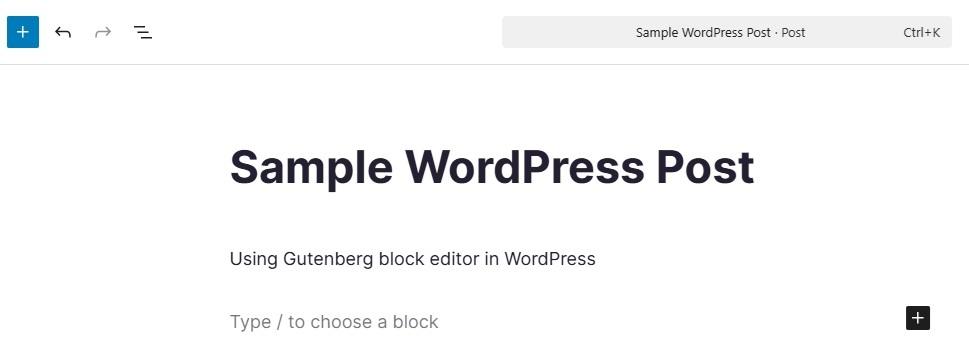
The drag and drop convenience is nice, but skipping page builders is one of the simplest WordPress performance optimization strategies.
Perform Plugin Audits Regularly
If you’re prone to trying out plugins often, but never getting rid of what you don’t use, it’s time to perform a plugin audit. Every WordPress site benefits from some plugins. The key is to find the balance between performance and plugin usefulness.
Every single plugin adds more strain on your site as it performs various tasks. There isn’t a set right or wrong number of plugins to use. It all depends on your site. A simple thing to remember is reduce plugins and increase WordPress speed. Plugins that meet any of the following need to be removed:
- Outdated, never have updates, and aren’t designed for your version of WordPress
- Performs the same job as another plugin you already have (pick the best one for you)
- Performs a task WordPress’s built-in features already do just as well
- You never or rarely use it
- A simple code snippet could completely replace it
- Adds obvious strain to your site
Opt for Multi-Purpose Plugins
Would you rather have a single plugin that handles a dozen tasks or install a dozen different plugins? The single plugin puts far less strain on your site and it’s easier to manage overall. In your plugin audit, you might find multiple plugins can be replaced by just one.
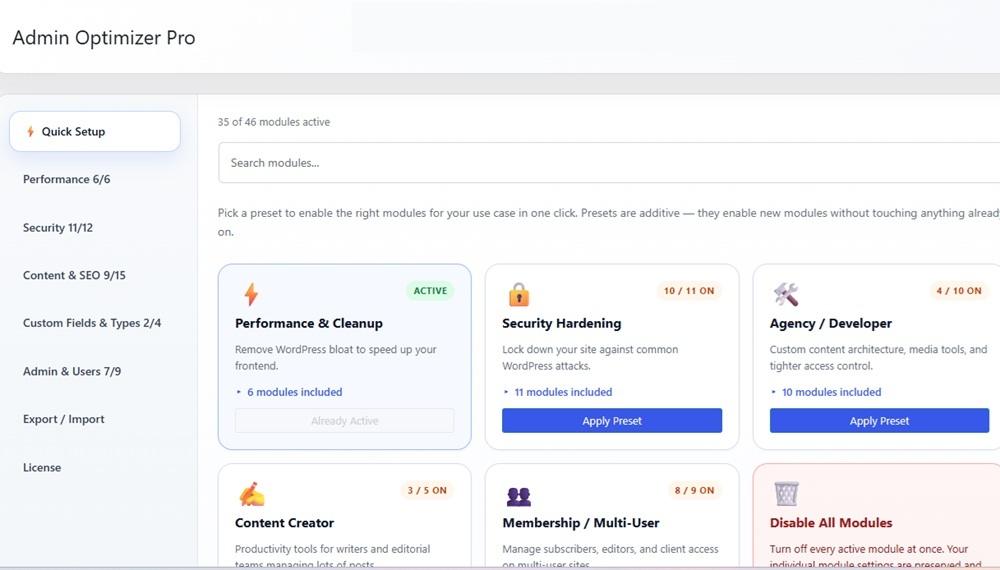
And that is the purpose of Admin Optimizer. It has 46 modules that focus on security, performance, content/SEO, custom fields and types, and admin and users. Just turn on what you need without needing multiple plugins for everything. You save time and optimize WordPress.
Regularly Clean Your WordPress Database
Your WordPress database is often a massive source of performance issues. If you want to speed up WordPress without plugins, or at least more plugins, make a habit of regularly cleaning your WordPress database.
The database collects enormous amounts of data over time that you don’t need, such as post revisions, spam comments, and orphaned metadata. There are multiple ways to clean up your WordPress database, but this is what we recommend for best results.
Optimize Images Before Uploading
It’s common to rely on a plugin to optimize images. You don’t need to. Ditch the plugins and just optimize your images before uploading them. Resize images to the max size your site displays. Compress images using free external tools. And, use the WebP format for optimal performance.
It’s also okay to limit images. Using optimized and fewer images means much faster page loading times.
Keep Everything Updated
Updating the WordPress core along with your theme and plugins is essential to keeping your site optimized. Updates add new features, boost overall performance, patch security issues, and address compatibility issues.
Always back up your site before performing updates, especially core or theme updates. Check for updates at least once per month.
WordPress performance optimization doesn’t mean throwing more plugins at your site. It means using them strategically, such as Admin Optimizer’s multi-purpose plugin, and optimizing your site using more than just plugins.
