
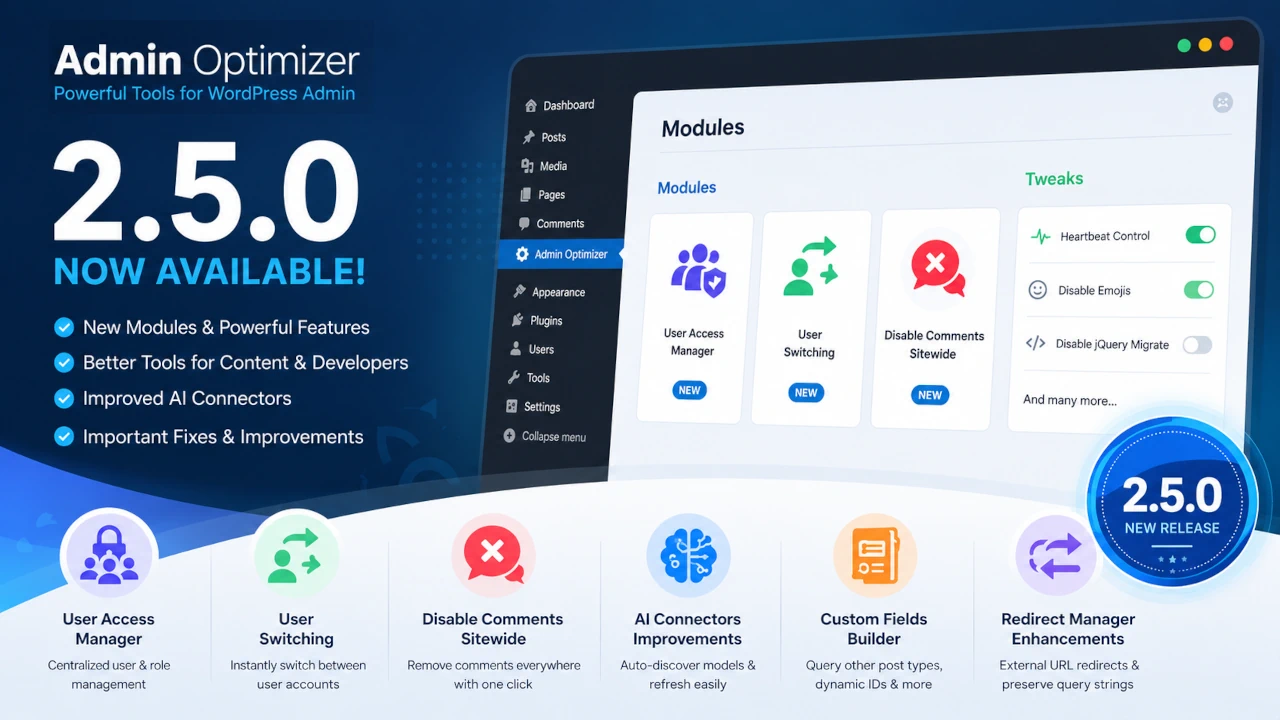
Admin Optimizer 2.5.0 is now available, bringing one of the largest updates yet. This release introduces an all new User Access Manager, adds User Switching, a dedicated Disable Comments module, expands the capabilities of the Custom Fields Builder, improves AI Connectors, and delivers numerous usability improvements and bug fixes across the entire plugin.
New User Access Manager
Managing WordPress users and roles is now much easier with the new User Access Manager module.
Rather than maintaining separate features for admin access restrictions, the User Access Manager module consolidates a few of the smaller modules and now provides a centralized location for user and role management.
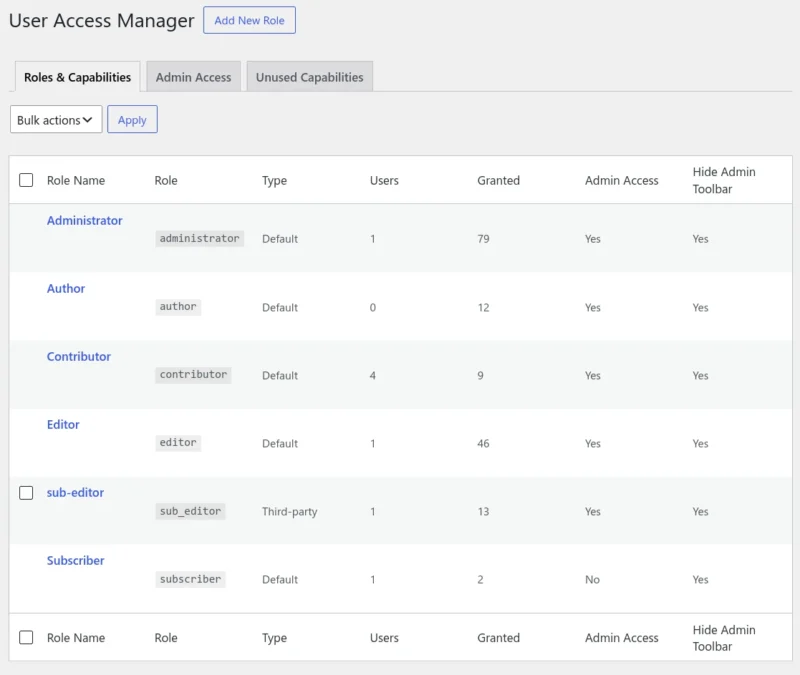
The new module includes:
- Block Admin Access – prevent specific user roles from accessing the WordPress dashboard.
- Hide Admin Toolbar – easily control frontend toolbar visibility globally, per role, or per user.
- Role Management – modify existing user roles or create and delete custom roles.
- Capability Management – fine-tune capabilities for each specific role.
- Unused Capabilities – uncover unused custom capabilities left over by custom plugins. Remove them all with a single click.
- Admin Access Controls – define exactly which user roles can view and access specific admin menu items.
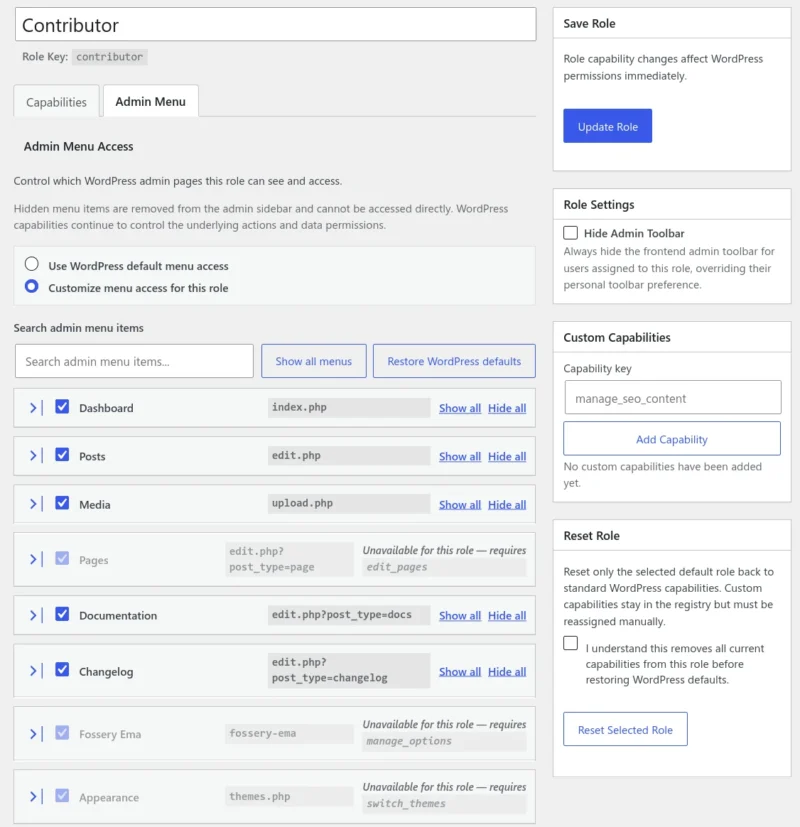
This single module consolidates access management and can replace 3–4 separate plugins in your current tech stack—making it perfect for agencies, client sites, and multi-user setups.
New User Switching Module
Testing websites with different user roles often requires setting up multiple user accounts and repeatedly logging in and out.
The new User Switching module lets administrators instantly switch into another user account and return to their own account with a single click.
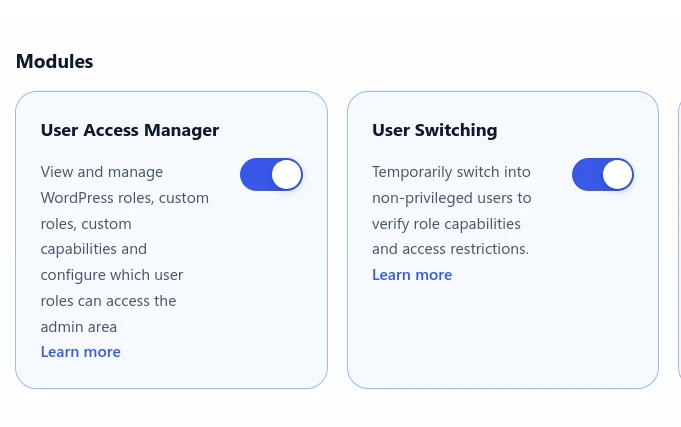
This makes it significantly easier to:
- Test user permissions
- Verify role restrictions
- Troubleshoot client issues
- Preview the WordPress dashboard from another user’s perspective
This module is restricted strictly to Adminstrators (or users with the edit_users capability). Each session automatically expires after 60 mins, or when the user logs out/switches back to its original role.
New Disable Comments Module
For websites that don’t use comments, there’s now a dedicated Disable Comments module.
Once activated, it disables comments and pings across the entire website and removes comment-related menus, widgets and admin panels from the WordPress dashboard.
It’s a simple solution for business websites, portfolios, landing pages, documentation sites, and other projects where comments are never needed.
AI Connectors Improvements
The AI Connectors module receives several quality-of-life improvements.
- Cleaner Settings Layout – the settings interface has been reorganized to make provider configuration easier to understand and navigate.
- Automatic Model Discovery – AI Connectors can now query supported AI providers and discover their latest available models directly.
- Refresh Models Button – access newly released models from OpenAI, Anthropic, Gemini, and others instantly without waiting for a plugin update.
Custom Fields Builder Improvements
The Custom Fields Builder continues to grow into a more powerful developer tool.
- Query Fields From Other Post Types – retrieve field values from other post types, making it much easier to build reusable templates and dynamic layouts.
- Dynamic Post IDs Inside Query Loops – Custom Field blocks inside Query Loops now resolve dynamic post IDs automatically.
- Output Wrapper Support – wrap custom field outputs in custom HTML elements for flexible styling.
Repeater Improvements
Repeaters have also been expanded with:
- Additional repeater configuration options
- Custom display templates for rendering repeater content without writing custom code
These additions make the Custom Fields Builder much more capable for dynamic content and advanced layouts.
Redirect Manager Improvements
Redirect Manager now supports two highly requested features:
- External URL Redirects – Redirects can now safely point to external websites when explicitly enabled.
- Preserve Query Strings – preserve incoming query parameters (
?utm_source=...) when redirecting visitors, making redirects much more useful for campaign URLs, tracking links, and search parameters.
Better WordPress Management
Several areas of Admin Optimizer have also been improved to make everyday site management easier.
- Heartbeat Control Documentation – added contextual warnings and explanations to help users better understand the impact of changing Heartbeat settings before applying them.
- Custom Post Types – the Show in REST API option now clearly explains that disabling the REST API also enables the Classic Editor for that post type, helping users understand the relationship between the two features
Module Organization Improvements
The Modules screen has also been reorganized to improve discoverability.
Changes include:
- Split Content & SEO into separate SEO and Content & Media sections.
- Clear separation between full-featured Modules and lightweight Tweaks, making it easier to find the right tool.
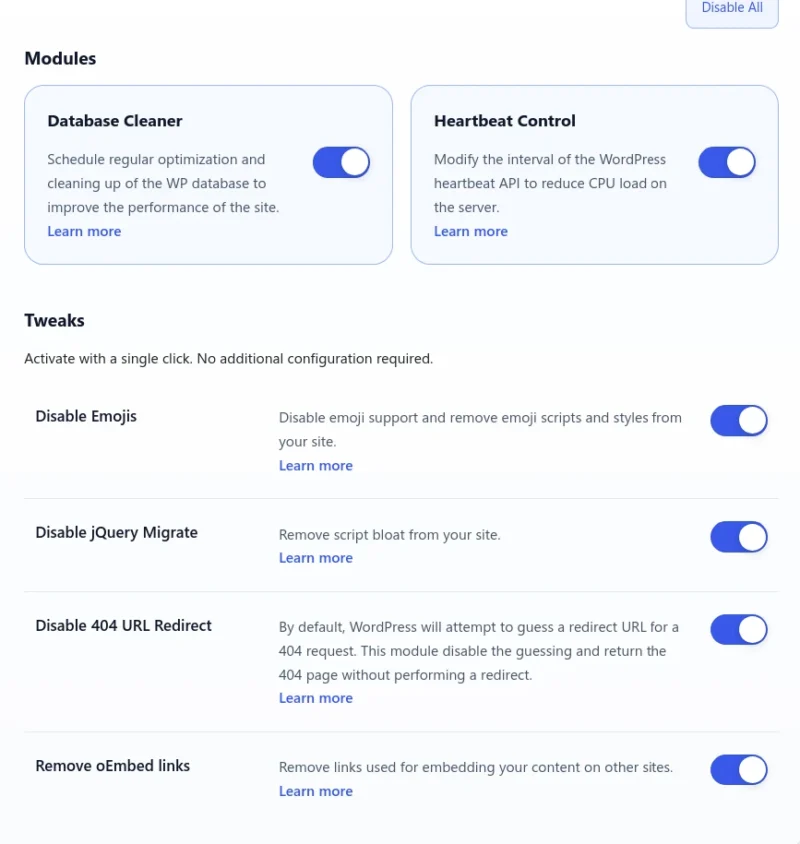
These changes make navigation simpler as Admin Optimizer continues to grow.
Bug Fixes & Stability Improvements
Version 2.5.0 also includes numerous fixes throughout the plugin.
- Custom Fields Builder – fixed display conditions using
show_uiinstead ofpublic. Improved repeater functionality and rendering. - Custom Post Types – fixed an issue where “No” selections (such as Show in REST API) were not saved correctly and appeared as “Yes” when editing. Rewrite rules are now flushed automatically after creating or editing a custom post type, ensuring permalink changes work immediately.
- Two-Factor Authentication – fixed a long-standing issue where leaving the 2FA verification page open for too long could produce the “Cheatin’ uh?” error. Users are now redirected back to the login screen and can authenticate normally.
- SEO Manager – fixed duplicate
<title>tag output on WordPress block themes. - Custom Post Status – Core WordPress statuses are now included in validation. Reserved WordPress status slugs can no longer be reused by custom statuses.
- Form Builder – fixed nonce validation failures that could prevent logged-out visitors from successfully submitting forms.
Admin Optimizer 2.5.0 brings improved user management, expands developer tools, refines AI integration, and polishes many existing features.
You can get Admin Optimizer 2.5.0 for free, or get the Pro version for more powerful features.
