Overview
Block Admin Access restricts access to the WordPress admin area by user role.
How It Works
When a blocked user tries to access the admin area, Admin Optimizer redirects them away from wp-admin and to the specified URL.
When to Use It
Use it when subscribers, customers, or other roles should not enter wp-admin.
How to Enable
Go to Admin Optimizer > Security and enable Block Admin Access.
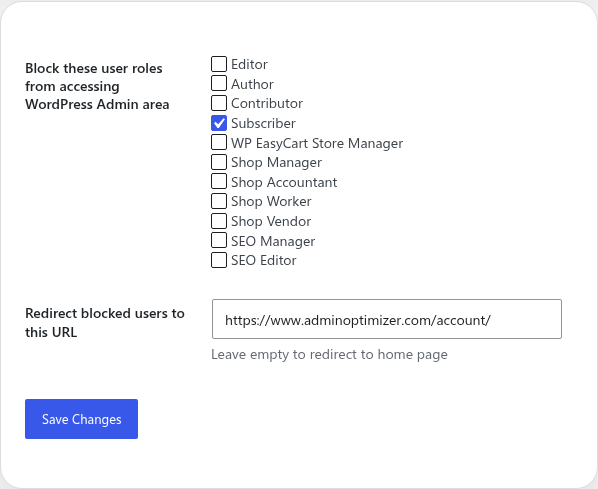
Settings
- Block these user roles from accessing WordPress Admin area. Administrator is intentionally excluded.
- Redirect blocked users to a specific URL. Leave it empty to send blocked users to the home page.
Notes
Keep administrator access unblocked so site managers can still reach the dashboard.